 よくある質問
よくある質問
よくある質問
Sometimes, deleting Subtable records or other factors can cause sequence numbers in the Subtable to become discontinuous. To reset the order, you may follow the steps below.
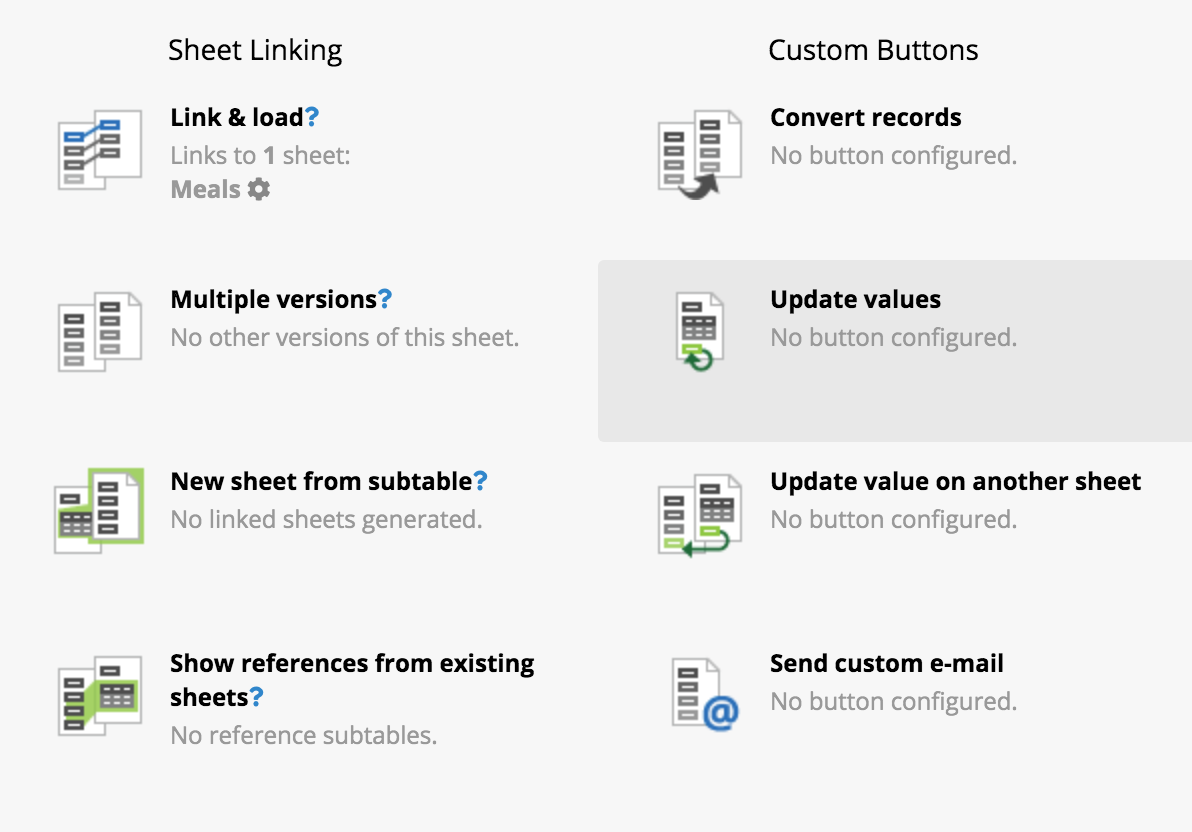
Go to the Form Page Design Mode, click Form Tools and choose Update Values.
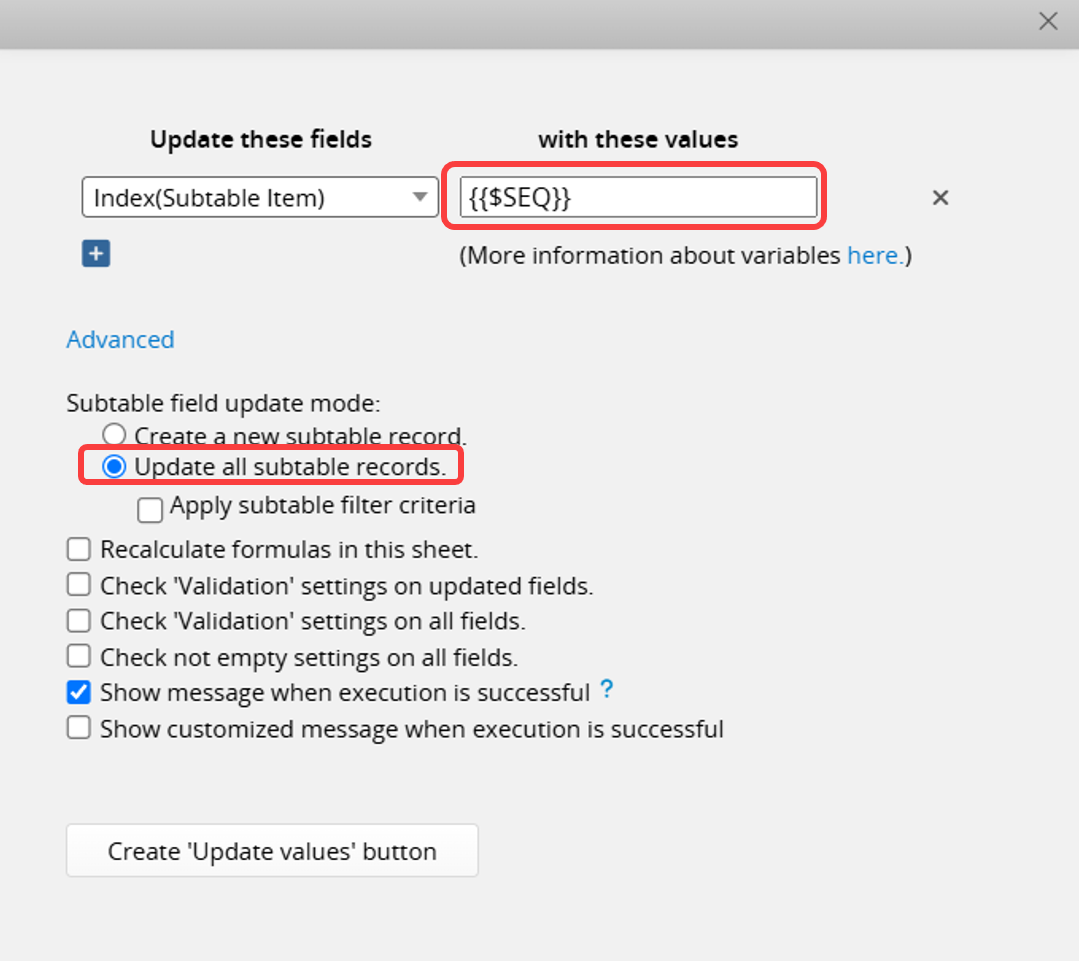
Choose the Subtable field with the default value $SEQ and enter {{$SEQ}} under with these values. Also, be sure to check the Update all subtable records option in the Advanced settings.
Remember to save the design after creating the button.
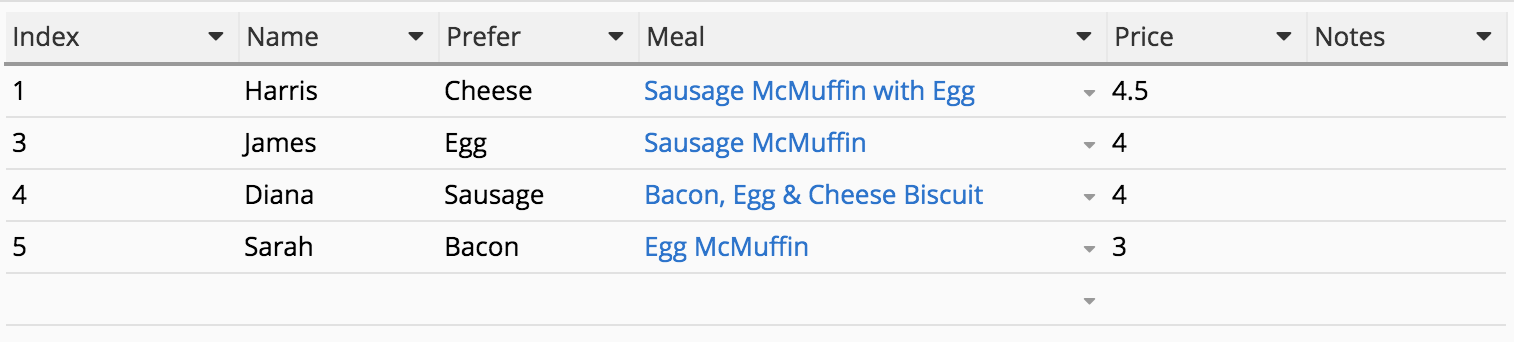
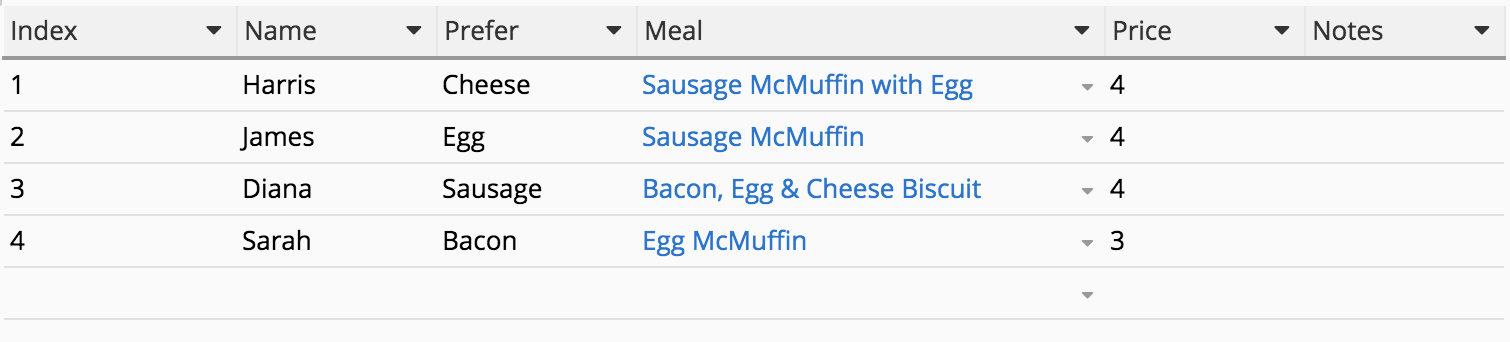
After clicking the button, sequence numbers will be automatically reordered to be consecutive, such as changing from 1, 3, 4, 5 to 1, 2, 3, 4.
Before:
After:
 Thank you for your valuable feedback!
