 FAQ
FAQ
FAQ
FAQ
When using a Reservation System report, if your company and the user are in different time zones (for example, the company is in Europe while the user is booking from Asia), you can configure the system as follows:
The time slots available in the Reservation System follow the company’s configured time zone. This means that both the available Reservation time slots shown in the report and the final saved Reservation records are calculated and displayed according to the company’s time zone.
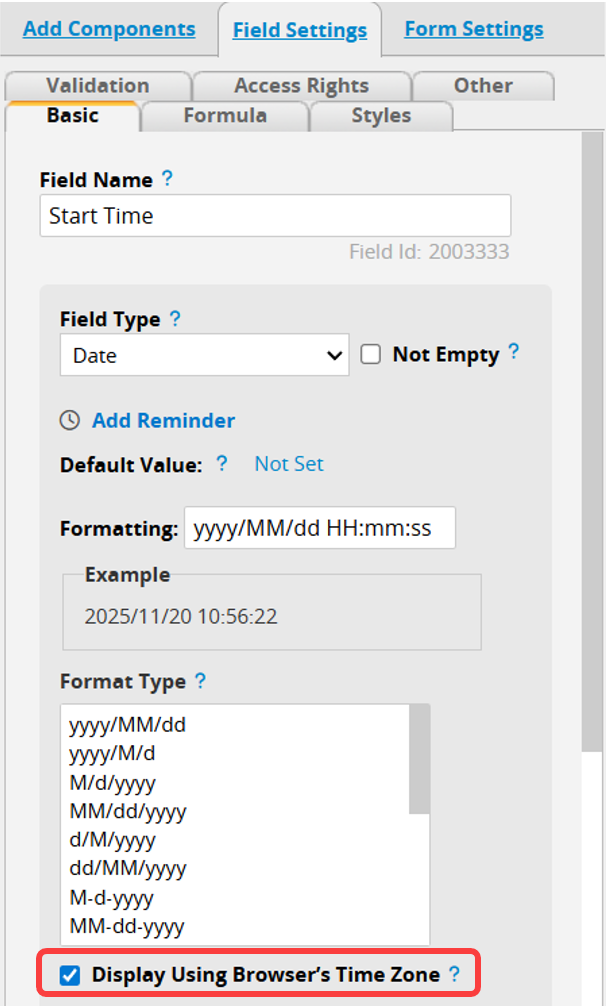
If users in different time zones need to work with the Reservation System, enable "Display Using Browser’s Time Zone" in the "Start Time" and "End Time" fields of the source sheet. The Reservation times on the Reservation sheet will then automatically convert to the user’s browser time zone.
Example:
The company time zone is set to UTC+0, and the user is in Taipei (UTC+8). If the user books the time slot 11/20 9:00 to 10:00 in the Reservation System report and then views it on the source sheet, the system will automatically convert the time according to the browser time zone and display it as 11/20 17:00 to 18:00.
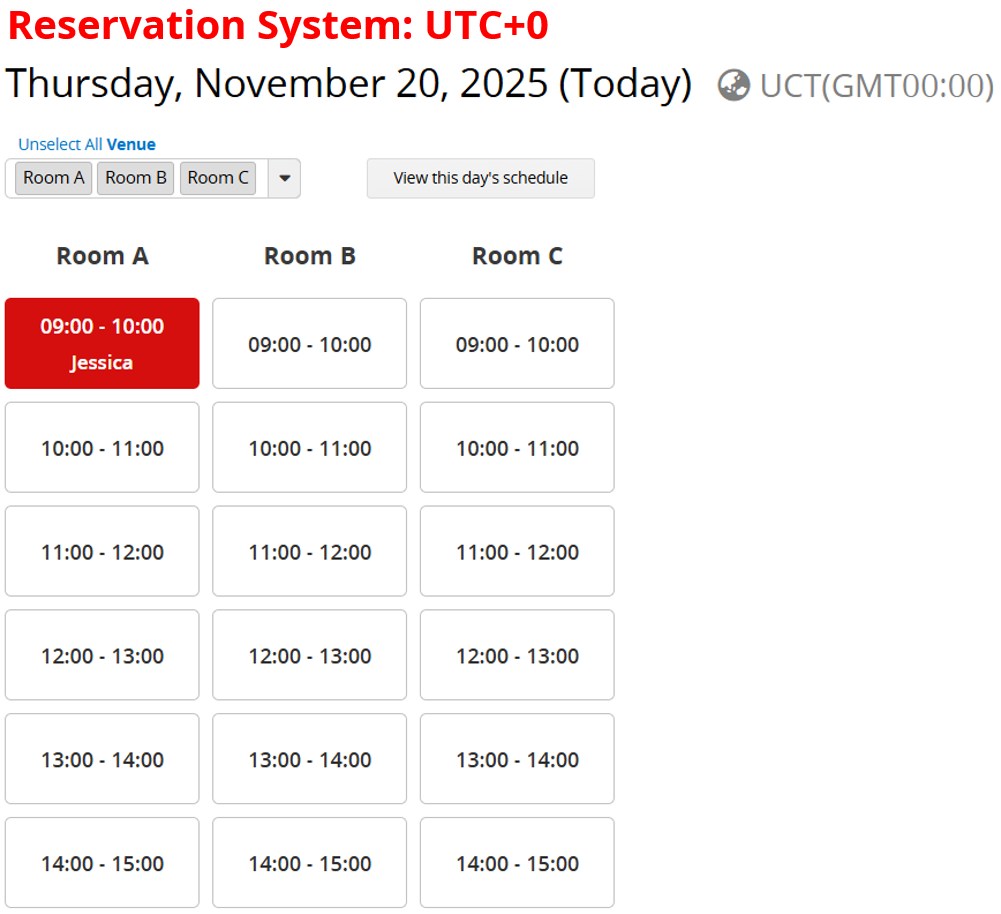
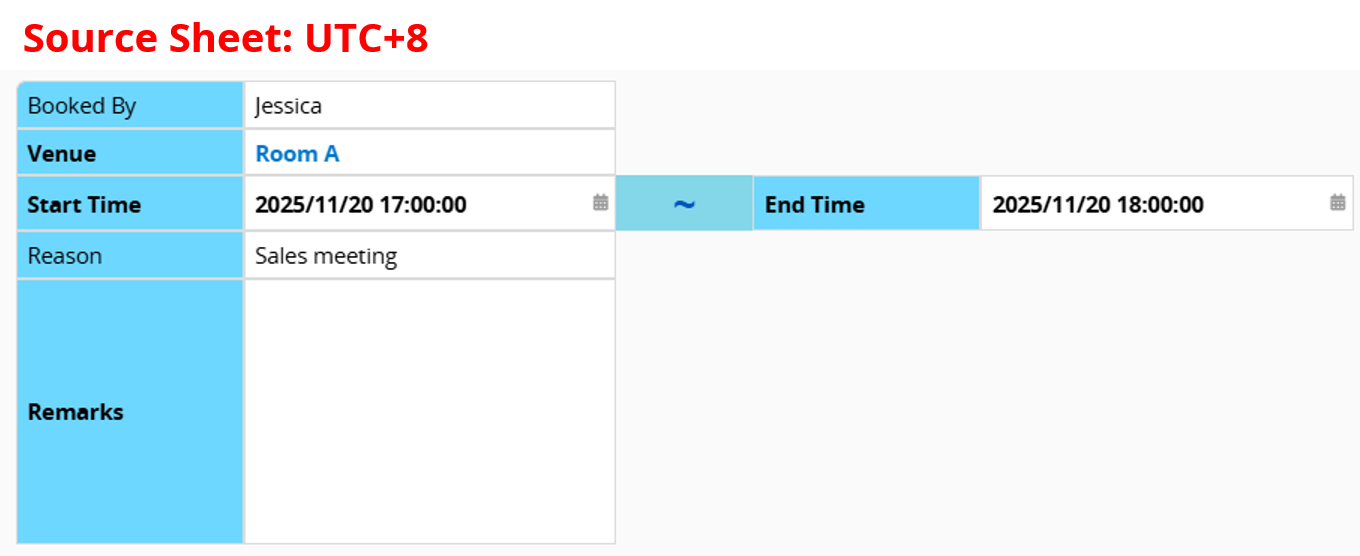
Note: The time displayed in the report still follows the company’s time zone.
 Thank you for your valuable feedback!
