 Design guide
Design guide
Design guide
If there are configured action buttons in the sheet, such as Custom Buttons, Mail Merge, and Custom Print Report, you can add them on the sheet interface.
If your sheets have existing Action Buttons, you can drag and drop them from the left sidebar into the fields.
Alternatively, right-click on an empty field and select Insert Action Button from the menu.
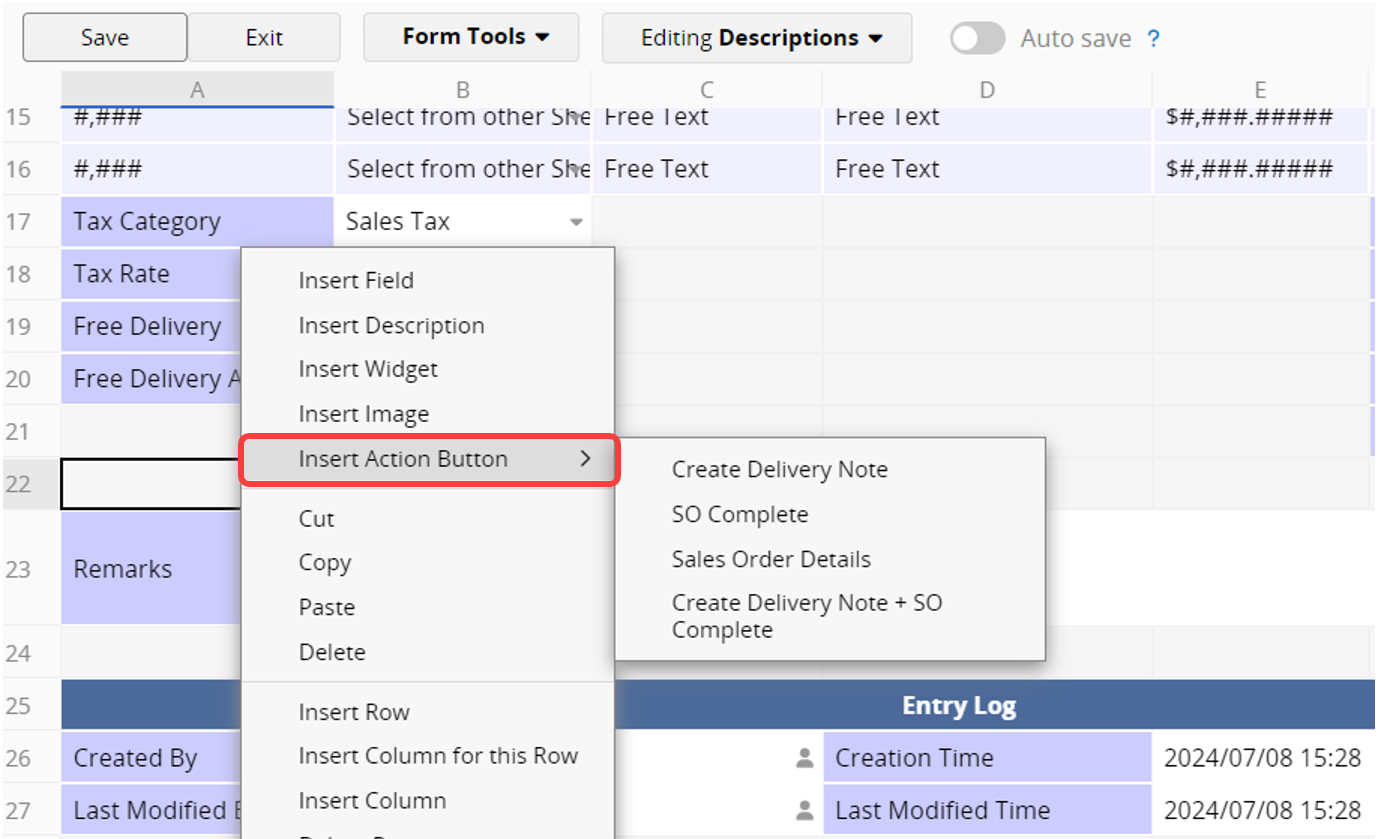
This allows you to place Action Buttons wherever you want.
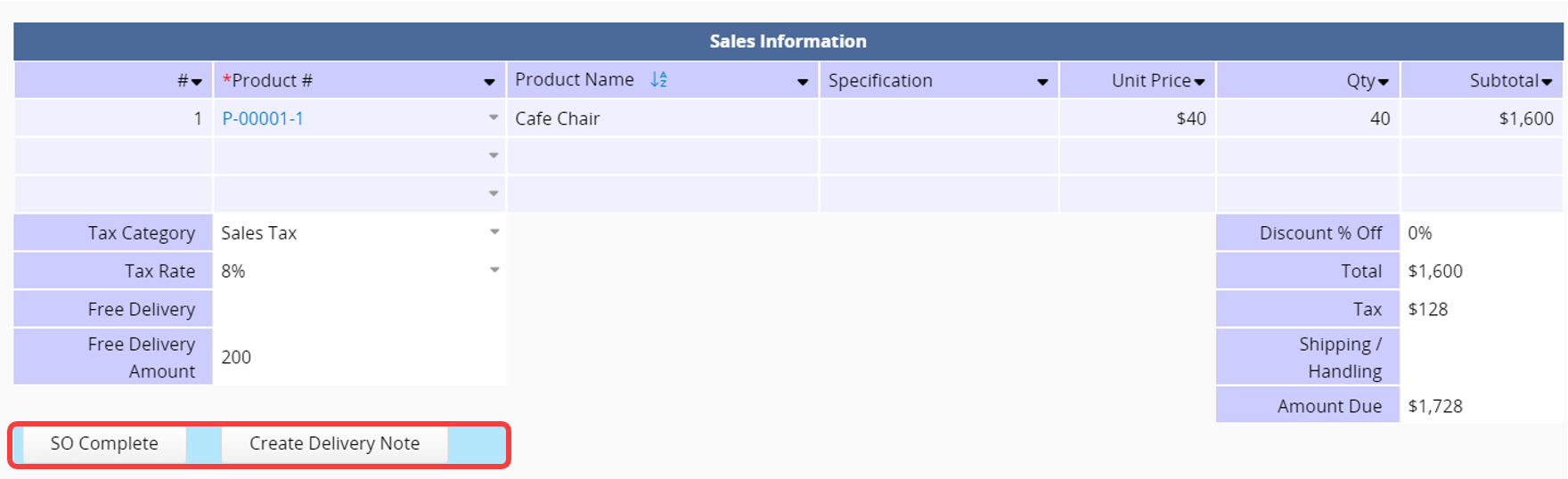
After creating Action Buttons, you can also add them as fields on the Listing Page.
In Listing Page Design Mode, use the Listing Page Field Picker to add Action Buttons as Selected Fields.
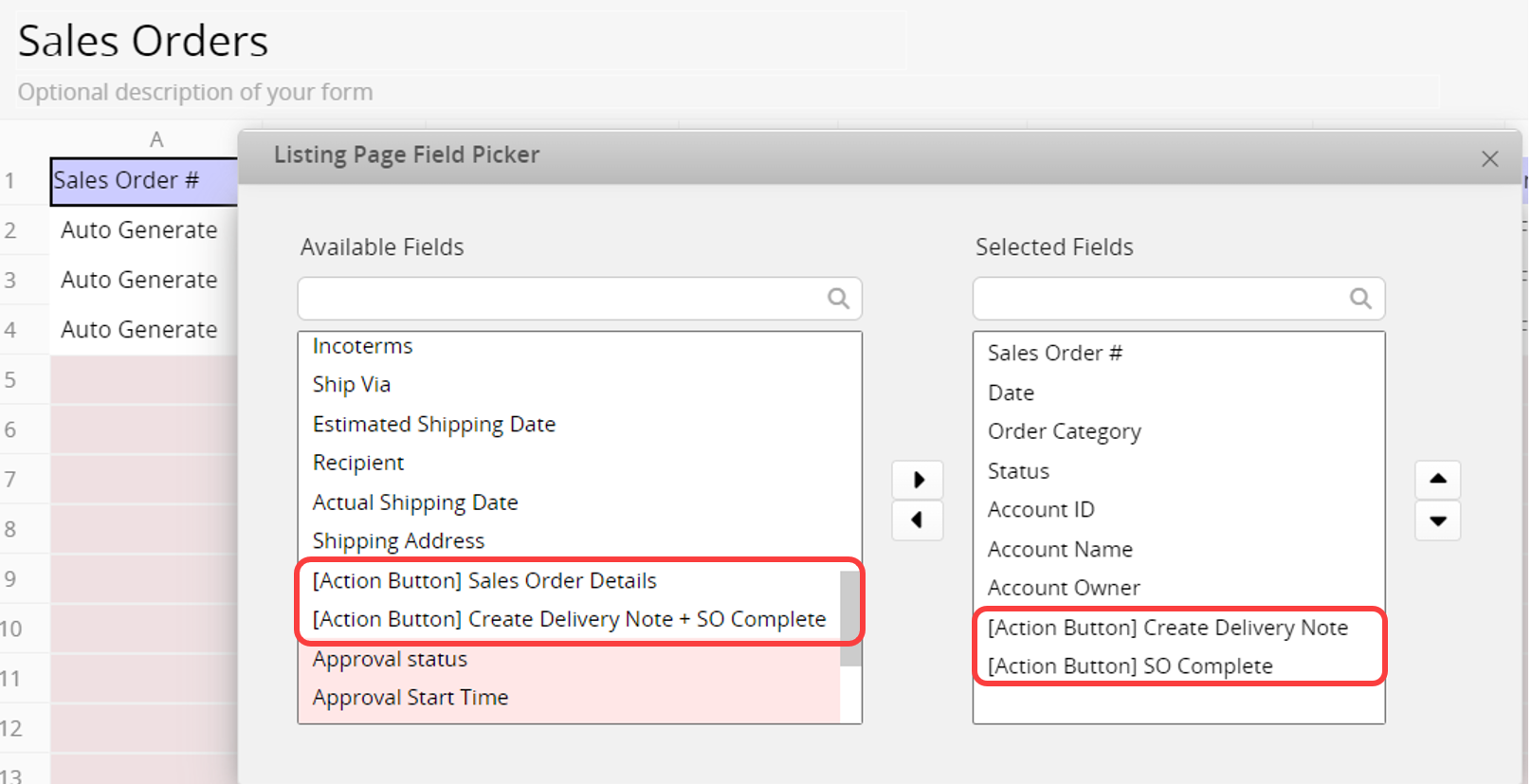
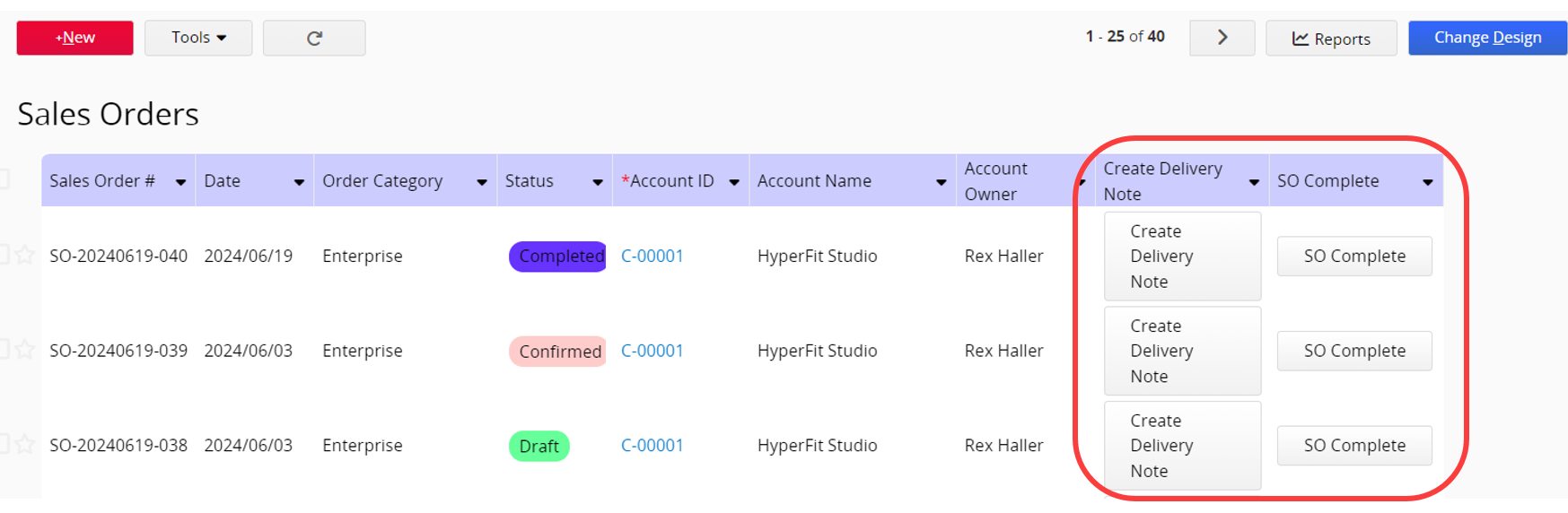
This enables you to directly execute the Action Button on the Listing Page without entering the Form Page for each record.
 Thank you for your valuable feedback!
