 Guía de Diseño
Guía de Diseño
Guía de Diseño
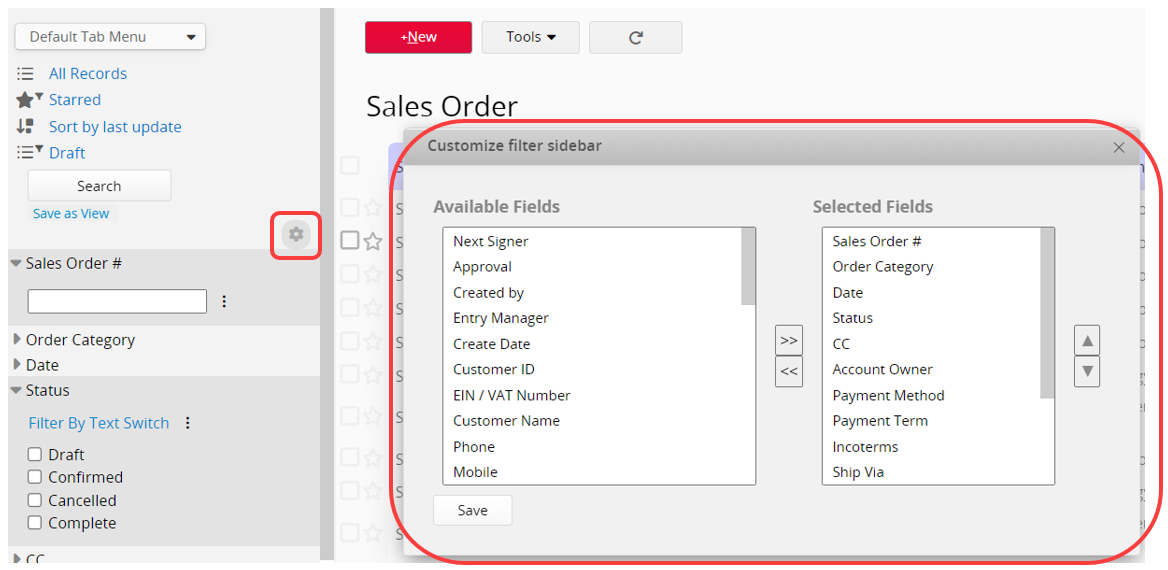
You can customize the displayed fields and their order in the left sidebar search tool.
Click the gear icon below the Search button to open the Customize Filter Sidebar window. Here, you can choose which fields to display and adjust their order. After making changes, click "Save".
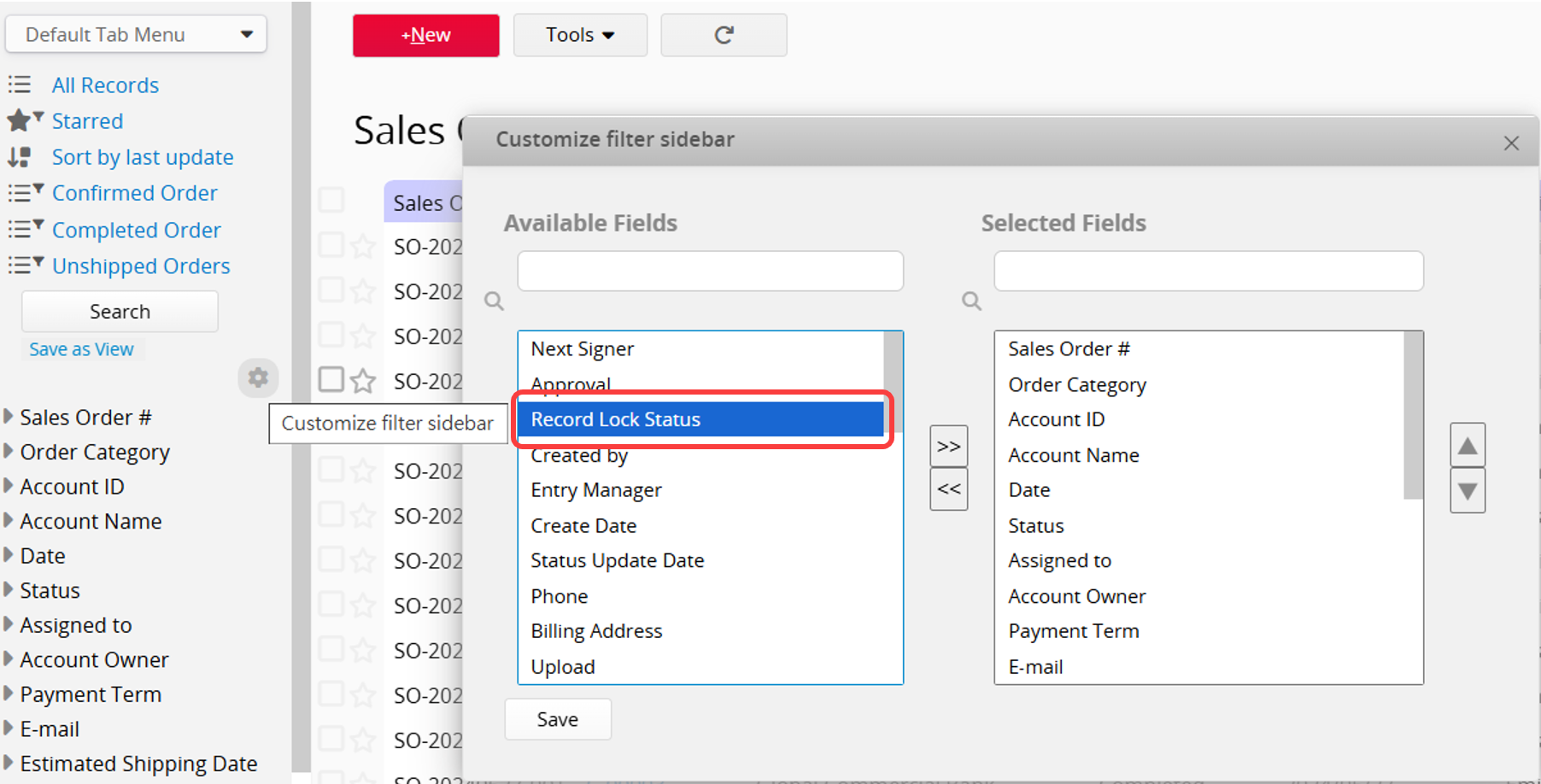
In addition to display fields, you can add "Record Lock Status" to the "Selected Fields" in the Customize Filter Sidebar.
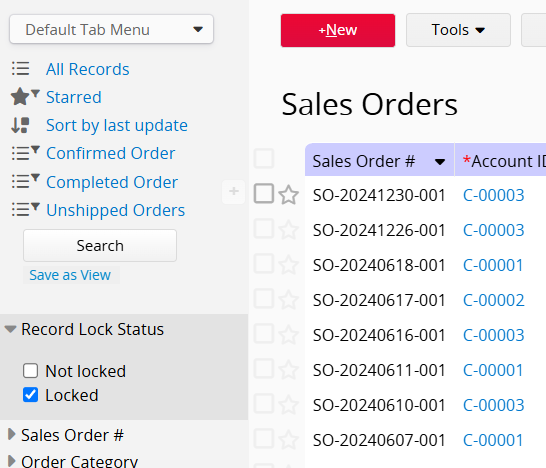
This allows you to filter records by "Locked" or "Not Locked" from the left sidebar.
 ¡Gracias por sus valiosos comentarios!
