 Learning Center
Learning Center
Learning Center
Before implementing a new system, have you ever thought about why your team or organization needs it? Maybe it's about having an online system that can run on mobile devices, supporting the features that your current ERP system doesn't have, or paperwork and spreadsheets are no longer enough for your company.
After specifying why you need a new system, we suggest you dig deeper to find out what are the most important or urgent needs. When implementing the system, it must involve lots of people and tasks. Moreover, everyone will need to learn the new system. So it might give you a thought that you should just give up and stick to the old way. At this point, rather than being hindered by all the features you want to employ with the new system, we strongly recommend that you just start with the most viable application. For example, your final goal is to build a CRM system, but the critical problem is that there is no convenient way for the sales team to check the product list and generate quotations when they are not in the office. In this situation, designing a new quotation application would be a great start for your Ragic database.
Since Ragic allows you to customize the design and add more applications anytime you want, it won't be a problem for you to apply other advanced features or functions in the future.
The second step is to analyze the compulsory features and flow path for your quotation system. Here's an example below:
(1) Members of the sales team can access the product list anytime and anywhere.
(2) Members of the sales team need to browse current clients' data and also create new profiles.
(3) Creating quotations by automatically retrieving saved clients and products data rather than manually entering.
(4) Supervisors can track the status and detailed information of each quotation.
Specifying key points by making a flowchart as below:
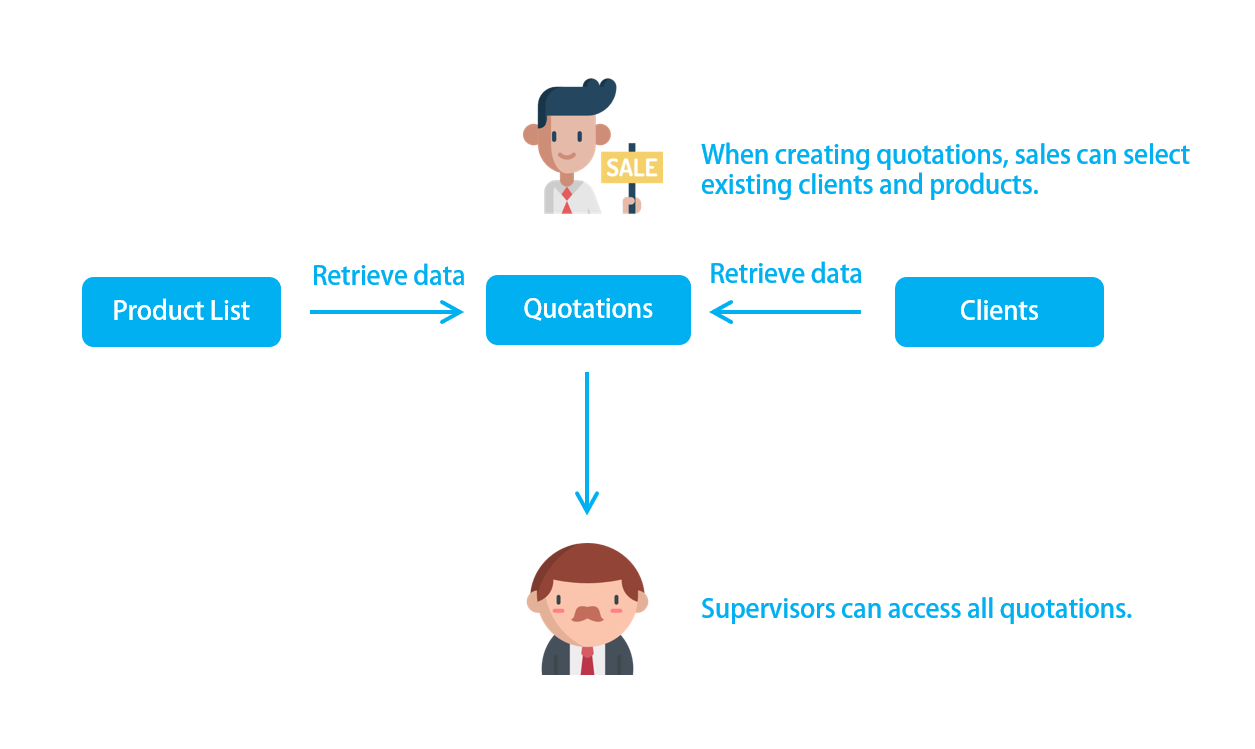
There are two methods to help you map your company workflow:
(1) Visualizing the company’s internal workflow: You can start by imagining how your company works internally. Think about the “what”, “how”, and "by whom" certain information is presented and managed when your company receives an order, to the point where the client receives the product, along with the process in between. You may also need to know which records must be kept by your company and your clients after an order is placed. We suggest noting down all the details and use them as a blueprint for your database prototype.
(2) Referencing our templates: We provide some pre-configured templates that you can directly apply. Give it a try and write down the differences between the templates and your ideal database. The differences would be what you need to further customize in the future.
During workflow planning, Ragic AI can help organize requirements and create a prototype system. If your workflow is not fully defined or is too complex to organize manually, use Ragic AI to build a database. It will generate a prototype based on your descriptions, allowing you to review and adjust sheets and data structures.
After clarifying requirements and workflow, you can use Ragic AI to help build your database.
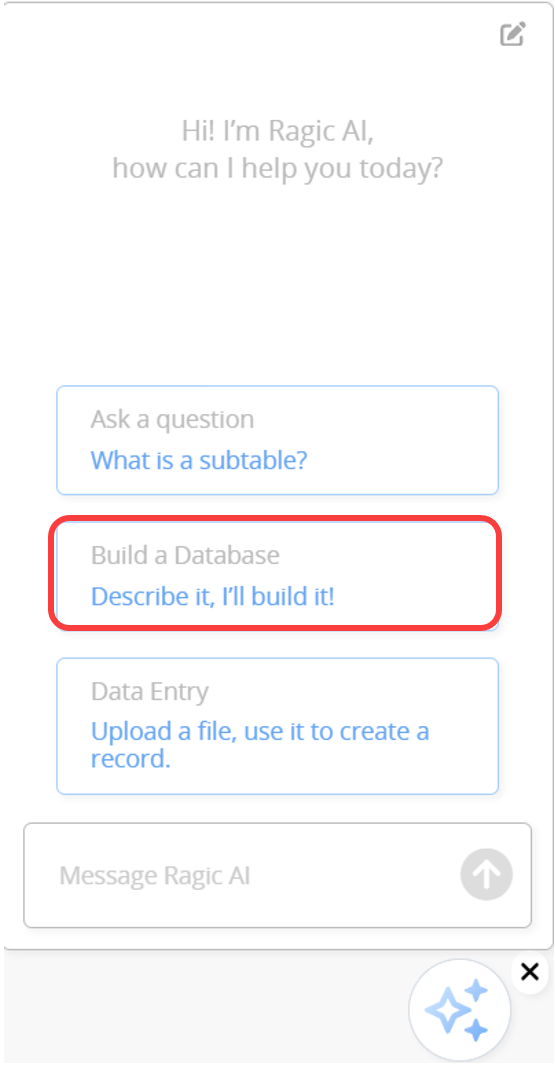
Click "Build a Database" in Ragic AI and fill in your database requirements.
Provide basic information in the form, such as industry, primary users, responsible teams, company size, and main use case, to help Ragic AI understand your needs.
Provide the requirement descriptions prepared in Steps 1 and 2. For example, you might describe a quotation system that allows sales staff to access product information, create customer records, and generate quotations on-site, while enabling managers to track the status of each quotation.
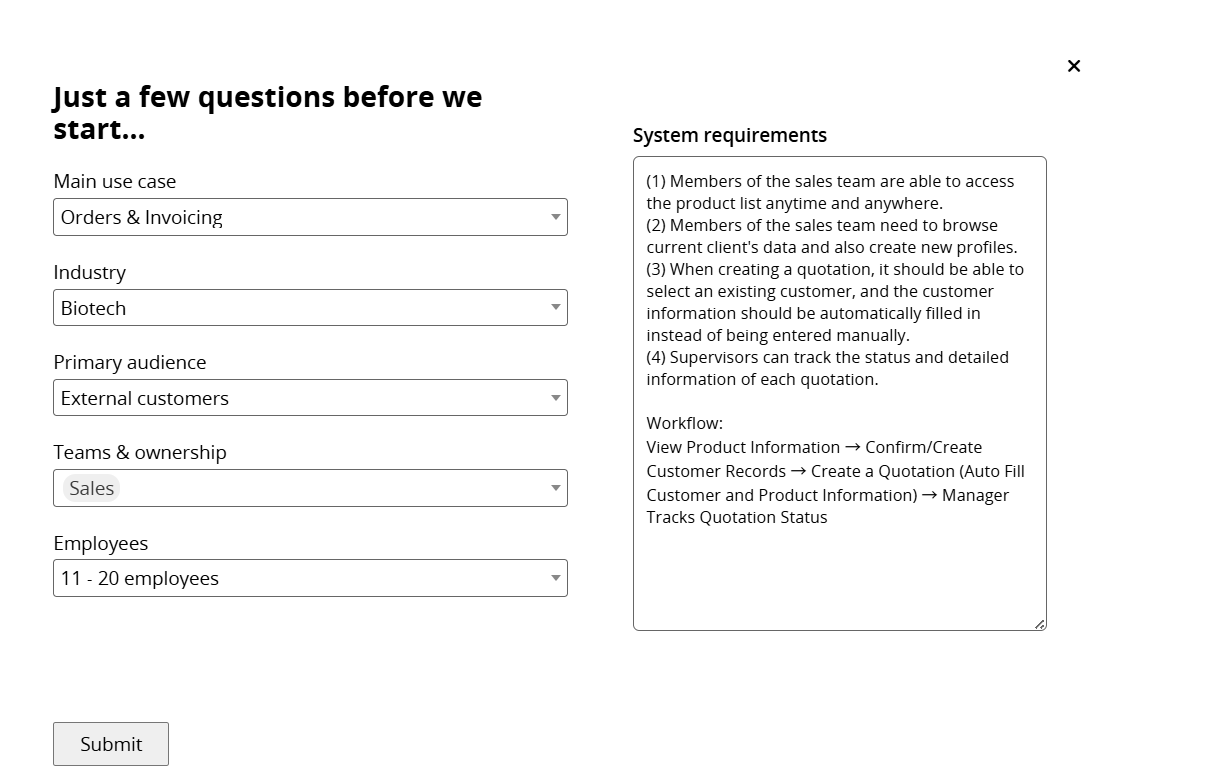
The clearer your descriptions, the better Ragic AI can understand your needs and generate an appropriate database structure, including sheets, fields, and relationships between sheets.
Submit the requirements, and Ragic AI will build your database.
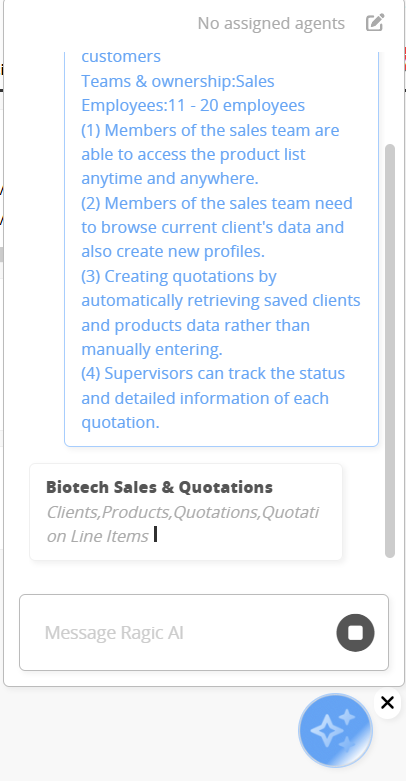
Once complete, you can view the created sheets.
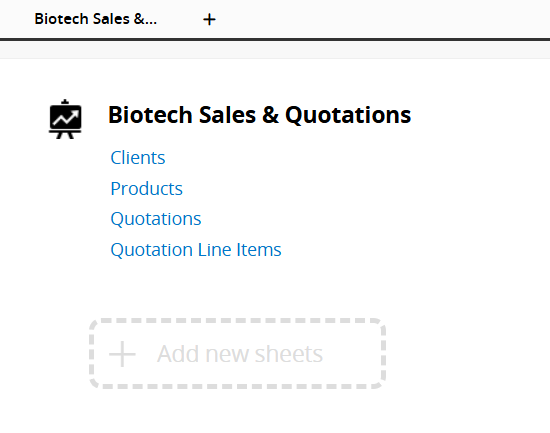
Ragic AI provides a Sheet Relationship Diagram, along with descriptions and usage instructions for each sheet.
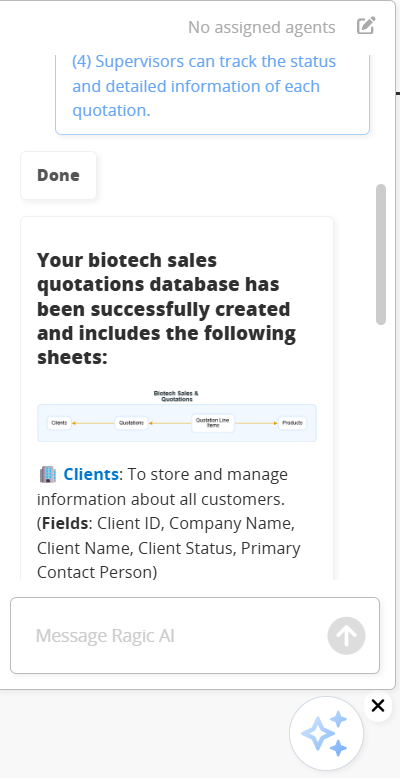
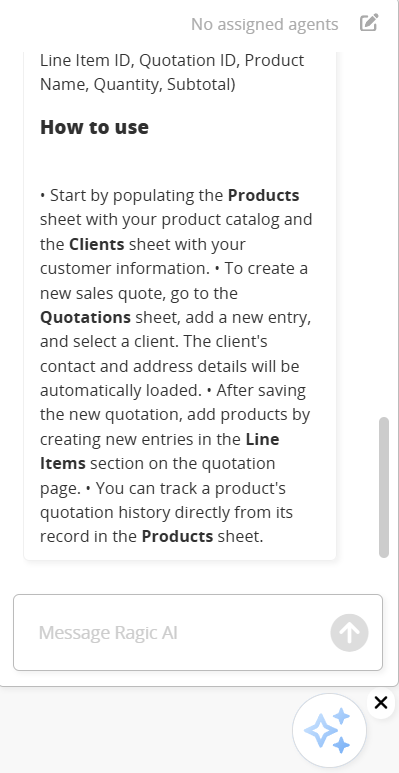
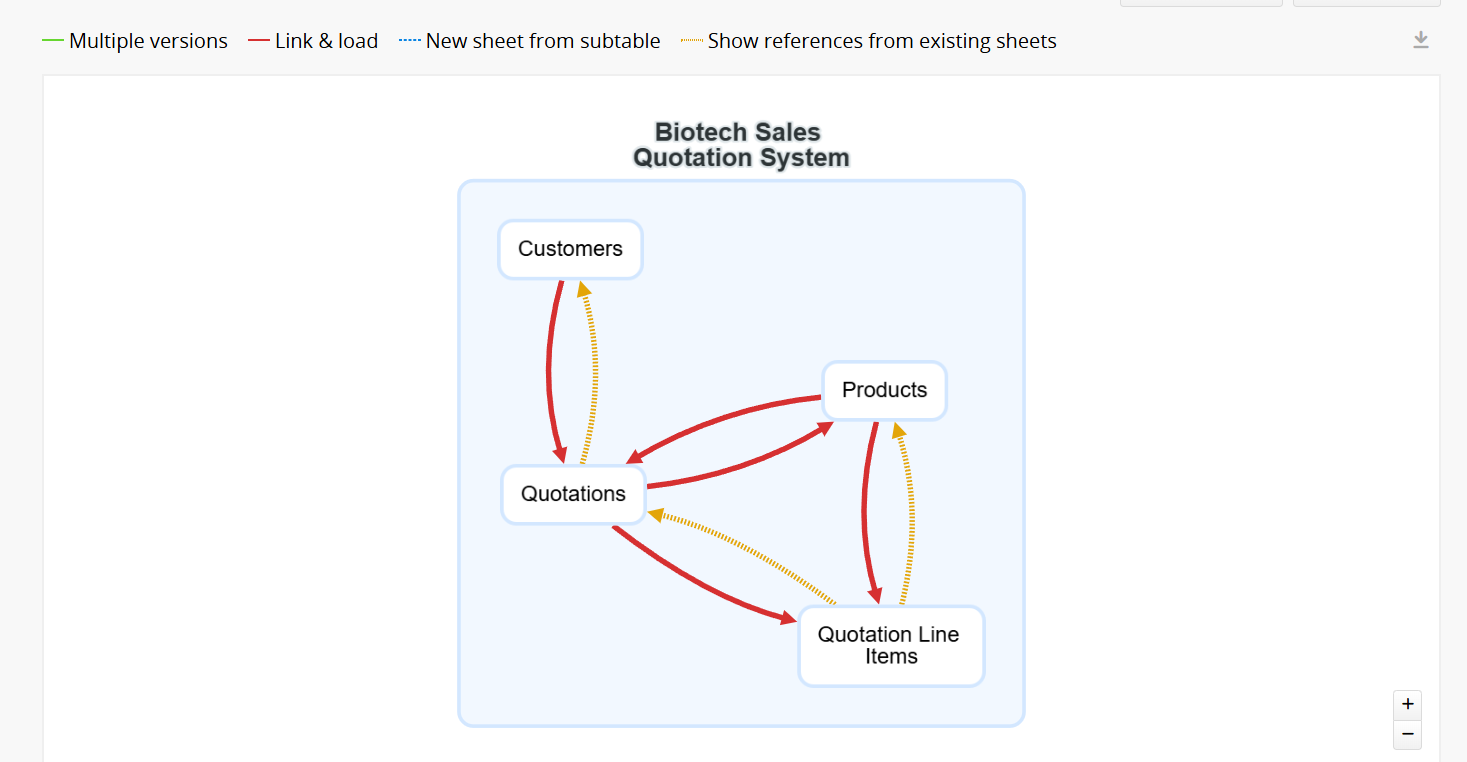
Click the Sheet Relationship Diagram to see how the sheets are connected.
After setup, you can manually add sheets, adjust sheet relationships, modify fields, or revisit Step 2 to optimize the workflow and have Ragic AI rebuild the database.
Ragic AI helps you quickly create a database prototype, allowing you to efficiently test and refine workflows. Gradual optimization will help you build a system that fully meets your requirements.
It is recommended to have a basic understanding of database structure to make adjustments smoothly. For more detailed guidance, or if you need to consolidate legacy systems, paper forms, or Excel sheets, please refer to the Related Documents section, "Comprehensive Database Planning Guide".
Start now and build your own database!
 Thank you for your valuable feedback!
